How to Create a Strong Password in 2026 (That You'll Actually Remember)

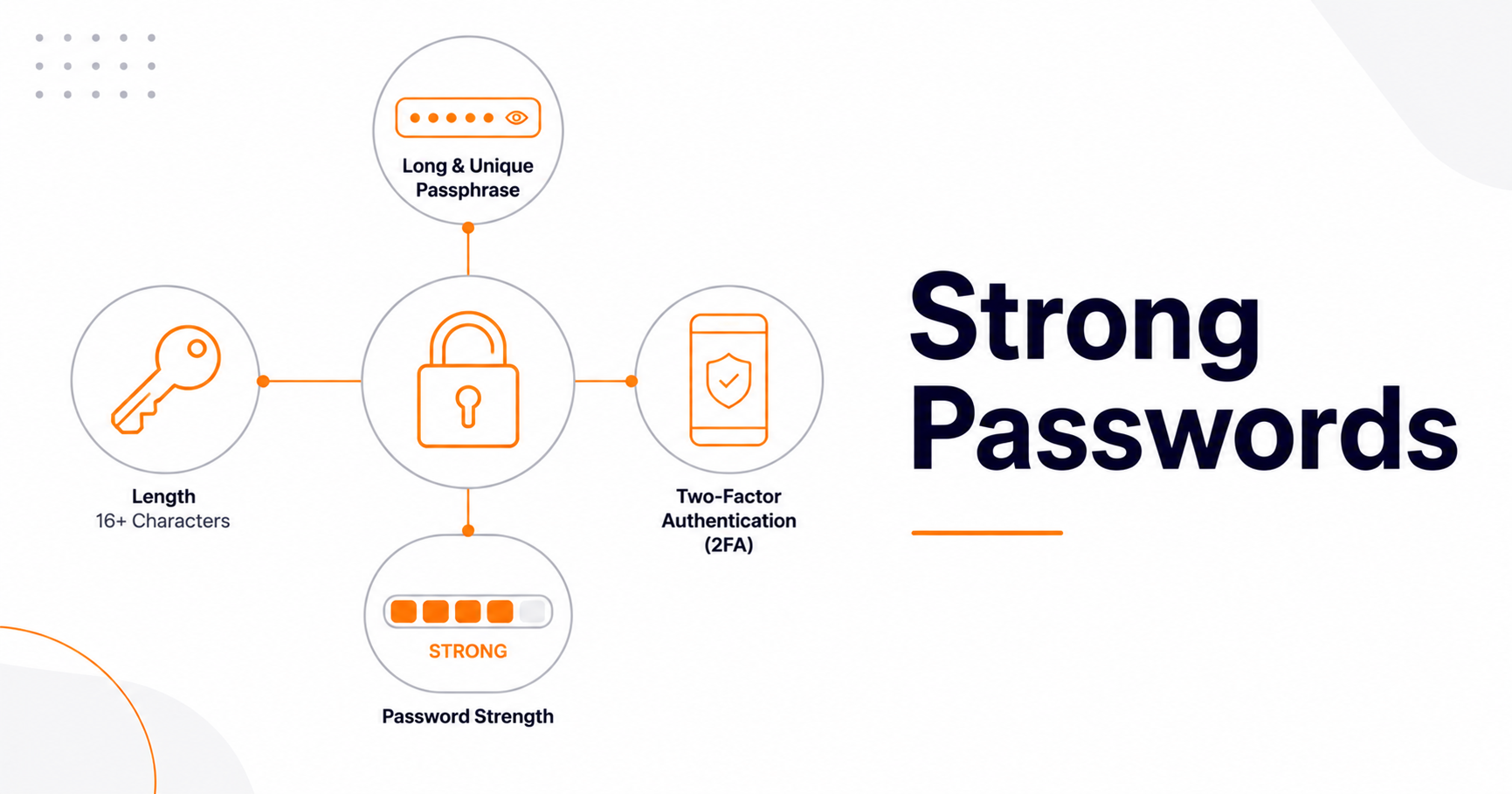
To create a strong password in 2026, make it long rather than complicated: use a unique passphrase of four to six random words (or 16+ characters) for every account, store them in a password manager, and turn on two-factor authentication. That's the whole answer—and it's almost the opposite of the advice most of us grew up with. The old "P@$$w0rd!" formula of forced symbols and 90-day resets is now officially outdated, and in many cases it actively made things worse.
This guide explains what changed, the simple method security experts (and the latest NIST guidelines) actually recommend now, and the few habits that matter most. The most common passwords in 2026 are still depressingly predictable—123456, password, qwerty123—so even small improvements put you far ahead of the average.
Why the old advice is dead
For two decades, "strong" meant a jumble of uppercase, lowercase, numbers, and symbols, changed every few months. Research and real breach data killed that idea. Forced complexity pushed people toward predictable patterns (Password1!, Password2!) and frequent resets led to weaker, reused passwords. Updated guidance from NIST, Microsoft, and CISA now agrees on a simpler, evidence-based approach: prioritize length, stop arbitrary resets, and lean on tools instead of human memory.
Length beats complexity—every time
This is the single most important shift. Each extra character increases cracking difficulty exponentially, so a long, simple password crushes a short, complex one. A 16-character passphrase is far stronger than something like "P@ssw0rd!" and much easier to type. The current baseline is a minimum of 8 characters, but you should aim for 12–16+ for normal accounts and 20+ for critical ones like your email, bank, and password-manager master password.
The passphrase method (strong and memorable)
The easiest way to get length you can actually remember is a passphrase: four to six random, unrelated words strung together—something like marble trumpet canoe eleven. The key word is random: don't pick words connected to you or to each other. For perspective, a four-word passphrase carries roughly 51 bits of entropy and five words around 64 bits—both genuinely strong for a memorized password when paired with two-factor authentication. Avoid common dictionary phrases, song lyrics, or anything tied to your personal info.
For any account you don't need to memorize, don't invent the password yourself—humans are terrible at randomness. Generate a long, random one with a cryptographically secure tool like our Password Generator, then check how it holds up with our Password Strength Checker.
Use a password manager—this is the real fix
The average person has well over 100 online accounts. Remembering a unique, strong password for each is genuinely impossible without a system—that's a design problem, not a personal failing. A password manager solves it: you memorize one strong master passphrase, and it generates, stores, and fills a unique password for every other account. This also defeats credential stuffing, one of the most effective attacks online, where criminals take a password leaked from one breach and try it everywhere else. If every account has a different password, one breach stays contained.
The rule that matters most: never reuse passwords
Unique passwords for every account is the highest-impact habit on this list. Reuse is what turns a single minor breach into a cascade of compromised accounts. Start by migrating your most important logins—email first, since password resets for everything else flow through it—to unique generated passwords. Doing five a day clears most people's accounts in a couple of weeks.
Turn on two-factor authentication (and consider passkeys)
Even a perfect password can be stolen through a phishing page. Two-factor authentication (2FA) stops that: even with your password, an attacker can't log in without the second factor. Enable it everywhere, starting with your email. Prefer an authenticator app or your password manager's built-in codes over SMS, since text messages can be intercepted through SIM-swapping.
Better still, use passkeys where they're offered. As of 2026, passkeys are supported by most major services—Google, Apple, Microsoft, GitHub, Amazon, PayPal and more—and they're both more secure and more convenient than passwords, because there's nothing to phish or reuse. When a service offers a passkey, take it.
A quick word on how passwords are stored
Strong passwords matter partly because of how sites store them. Reputable services never keep your password as plain text—they store a hash, a one-way scrambled version, ideally with a unique "salt" so identical passwords don't produce identical hashes. You can see hashing in action with our MD5 Generator, but note that MD5 is only a demonstration of the concept: it's considered broken for security, and modern systems use far stronger algorithms like bcrypt, scrypt, or Argon2 for passwords. The takeaway for you as a user: a long, unique password is much harder to recover even if a site's hashed database leaks.
What not to do
Skip these outdated or risky habits: don't change passwords on a fixed schedule (only change them when there's evidence of compromise); don't use password hints or knowledge-based security questions, which hand attackers clues; don't rely on character substitutions like "@" for "a," which cracking tools expect; and don't store passwords in a browser note, spreadsheet, or sticky note. Periodically check whether your accounts have appeared in known breaches and update anything exposed.
Your strong-password checklist
In short: use a unique password for every account; make it long (a 4–6 word passphrase or 16+ random characters); let a password manager generate and store them; turn on 2FA everywhere, prioritizing your email; adopt passkeys where available; and stop forcing resets—change only on signs of compromise. Protecting your accounts goes hand in hand with protecting your wider privacy online, including understanding what your IP address reveals about you.
Frequently asked questions
What makes a password strong in 2026?
Length and uniqueness. A strong password is long (ideally 16+ characters or a 4–6 word passphrase), used on only one account, and unpredictable. Character complexity matters far less than length, and the best results come from generating passwords with a tool and storing them in a password manager.
Are passphrases really safer than complex passwords?
Yes, when they're long and random. A passphrase of four to six unrelated words is both easier to remember and harder to crack than a short string of mixed symbols, because length increases cracking difficulty exponentially. Just avoid common phrases or words connected to you, and back it up with two-factor authentication.
Should I change my passwords regularly?
No—not on a fixed schedule. Current guidance says to change a password only when there's evidence of compromise, such as a breach notification or suspicious activity. Forced periodic resets tend to produce weaker, reused passwords, which is why the practice has been dropped.
Do I still need passwords if I use passkeys?
For now, yes. Passkeys are more secure and convenient and you should use them wherever they're offered, but not every service supports them yet. Until then, keep using long, unique passwords in a password manager with 2FA enabled for accounts that don't yet offer passkeys.
Final thoughts
Strong passwords in 2026 are simpler than the old rules ever were: go long, never reuse, let a password manager do the remembering, switch on 2FA, and adopt passkeys as they roll out. None of it requires memorizing cryptic strings or resetting everything every quarter—it just requires the right habits and a couple of free tools. Set this up once and your accounts become dramatically harder to break into, with less hassle than before.